AI Images Editing, Free and Online
Describe the change and the AI edits your photo. Remove backgrounds and upscale images in seconds. 5 free edits every day.
- Edit with plain English prompts
- Transparent PNG cut-outs
- Sharper, larger images
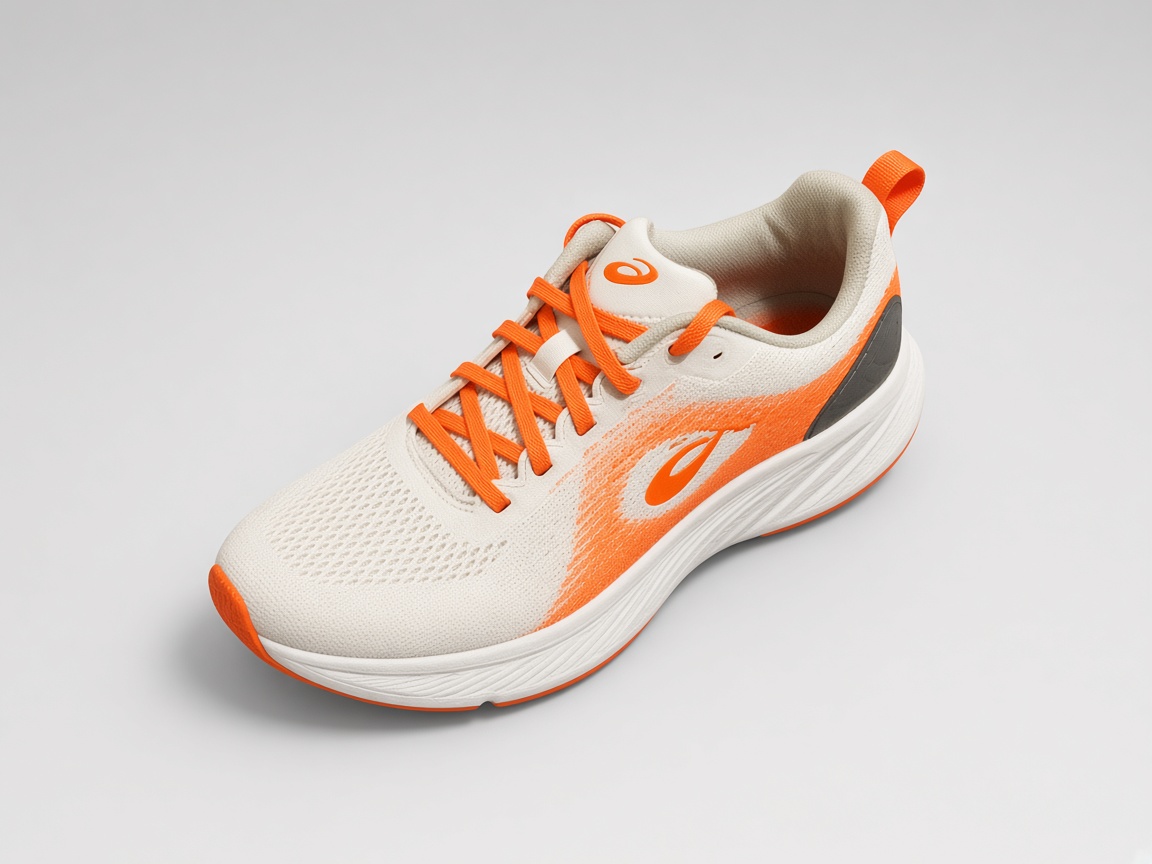
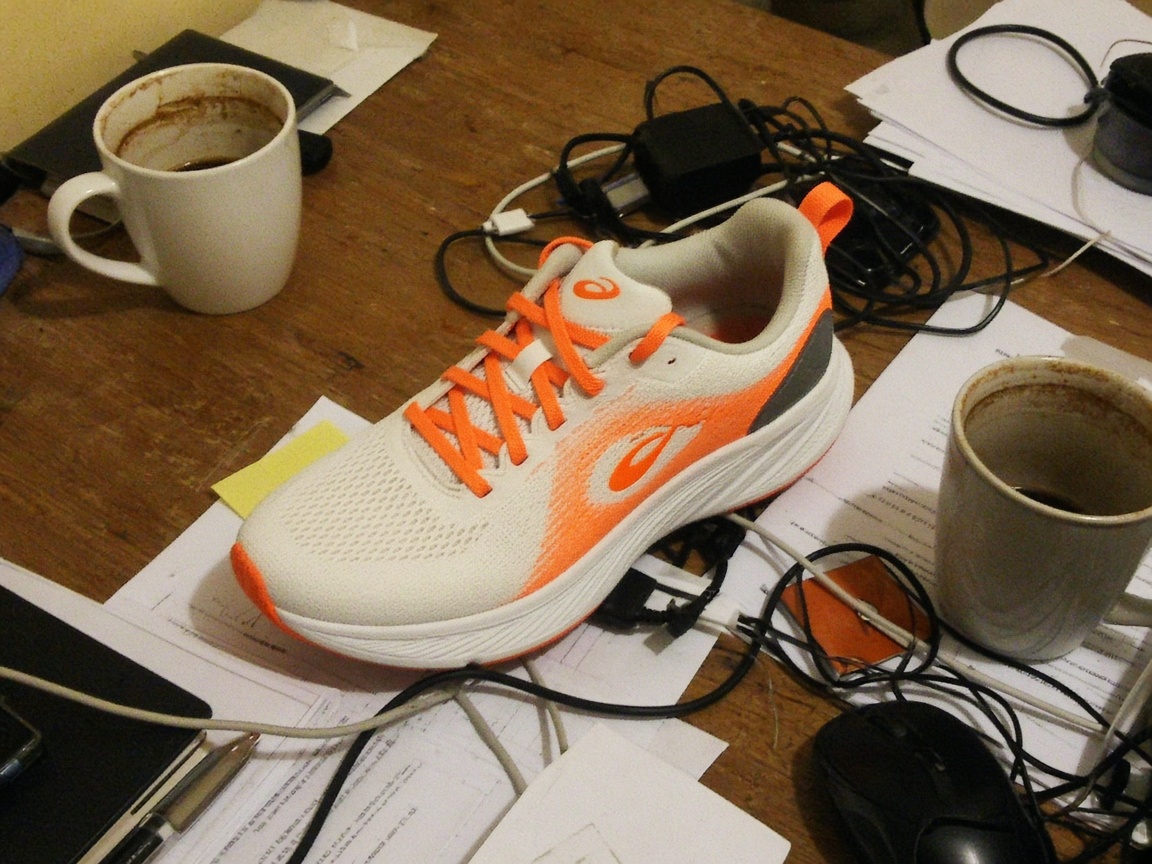
Prompt: “Replace the cluttered desk with a clean studio backdrop”
Illustrative sample images. Drag the slider to compare.
Mode
Model
Aspect Ratio
Image Resolution
Nano Banana outputs 1K only. Pick SeedDream 4 for 2K or 4K.
Image Upload
Or drop an image here. JPG, PNG or WebP up to 10MB
0/500
Try these examples
- This run costs
- 1 free edit
- Left today
- …
- Output
- PNG, no watermark
Recent Tasks
Finished edits show up here for 24 hours.
Three ways to edit your image
Edit with a prompt
Describe the change, like “make it look like sunset” or “remove the people in the background”.
Try prompt editingRemove background
Cut out the subject and download a transparent PNG for products, profiles and designs.
Try background removalUpscale images
Turn small, blurry pictures into sharper, larger images that hold up on big screens.
Try upscalingWhy use AI Images Editing
No sign-up
No account, no email. Just open and edit.
No watermark
Every result downloads as a clean PNG.
Deleted in 24 hours
Uploads and results are removed automatically.
GPS data stripped
EXIF metadata is removed from every photo.
How AI image editing works
- 1
Choose a mode
Pick prompt editing to change a photo with words, background removal to get a transparent PNG cut-out, or upscale to make a small image sharper and larger. Each mode shows its cost before you start, and every mode is free today within your daily limit.
- 2
Upload your image
Drop in a JPG, PNG or WebP image up to 10MB, or click to browse. Large photos are resized so the longest side is 2048px, and EXIF metadata such as GPS location is stripped on the server before anything is processed.
- 3
Describe the change
For prompt edits, type what you want in plain English, like “replace the cluttered desk with a clean studio backdrop”. Short, specific instructions work best, and the example buttons give you a quick start. Skip this step for background removal and upscale.
- 4
Generate and download
Click Generate and wait a few seconds. Your result appears next to the original, ready to download as a clean PNG with no watermark. It also shows up under Recent Tasks, and all photos are deleted from our servers after 24 hours.
Comparing options? See our list of the best AI image editors.
AI image editing for every use
AI Product Photo Editor
A good product photo sells. Upload a phone shot of your product and use AI to place it on a clean studio backdrop, remove distractions or adjust the mood, without a photographer or Photoshop.
Clean up product photos with AI: swap backgrounds, remove clutter and fix lighting in seconds. Free, no watermark, no sign-up.
Try product photos Before
 After
AI Real Estate Photo Editing
Listing photos decide whether a buyer clicks. Use AI to brighten dark rooms, tidy visual clutter and improve exterior shots in a few seconds.
Brighten rooms, replace dull skies and remove clutter from property photos with AI. Free online, no sign-up.
Try real estate photos Before
 After
AI Portrait Editor
Update your profile picture, headshot or family portrait with natural-looking AI edits. Change the background, adjust the lighting or clean up distractions.
Retouch portraits with AI: soften lighting, change the background and tidy up the shot. Free online, no sign-up.
Try portraits Before
 After
AI Social Media Image Editor
Turn an ordinary photo into a scroll-stopping post. Restyle the scene, swap the background, or upscale a low-resolution image before you publish.
Edit photos for Instagram, TikTok and more with AI. Change backgrounds, add effects and upscale images for free.
Try social media images Before
 After
AI Photo Restoration
Bring old family photos back to life. Scan or photograph the print, then use AI to repair scratches, improve contrast and upscale the result.
Restore old, faded or scratched photos with AI. Fix damage, improve clarity and upscale, free and online.
Try photo restoration Before
 After
AI Background Remover
Cut the subject out of any photo and get a transparent PNG. Perfect for product images, profile photos, stickers and design work.
Remove the background from any image in seconds with AI. Free PNG cut-outs with a transparent background, no sign-up.
Try background removal Before
 After
Frequently asked questions
What is AI image editing?
AI image editing uses machine-learning models to change a photo based on your instructions. Instead of selecting layers and brushes, you describe the change, such as “replace the background with a beach”, and the model edits the image for you.
Is there a free AI image editor with no sign-up?
Yes. This free AI image editor works in your browser without an account. You get a few free edits per day, and results have no watermark.
How do I edit an image with AI?
Upload a JPG, PNG or WebP image, pick a mode (edit with a prompt, remove background or upscale), type what you want to change and click Generate. When the result appears, download it.
What can the AI image editor do?
Three things: change the content or style of a photo with a text prompt, remove the background to get a transparent PNG, and upscale low-resolution images to be sharper and larger.
Are my photos private?
Photos are processed on the server, stripped of EXIF metadata such as GPS location, and deleted automatically after 24 hours.
What are the limits?
Images up to 10MB in JPG, PNG or WebP. Large images are resized so the longest side is 2048px. Free usage is limited per day to keep the service available for everyone.
Will there be paid plans?
Paid plans with higher daily limits, faster processing and larger uploads are planned. The free tier, with no sign-up and no watermark, stays available.
Why was my request blocked?
We don't process adult, explicit or otherwise unsafe content, and we block prompts that ask for it.
Ready to edit your first image?
Free, no sign-up, no watermark.
Start editing